Installing
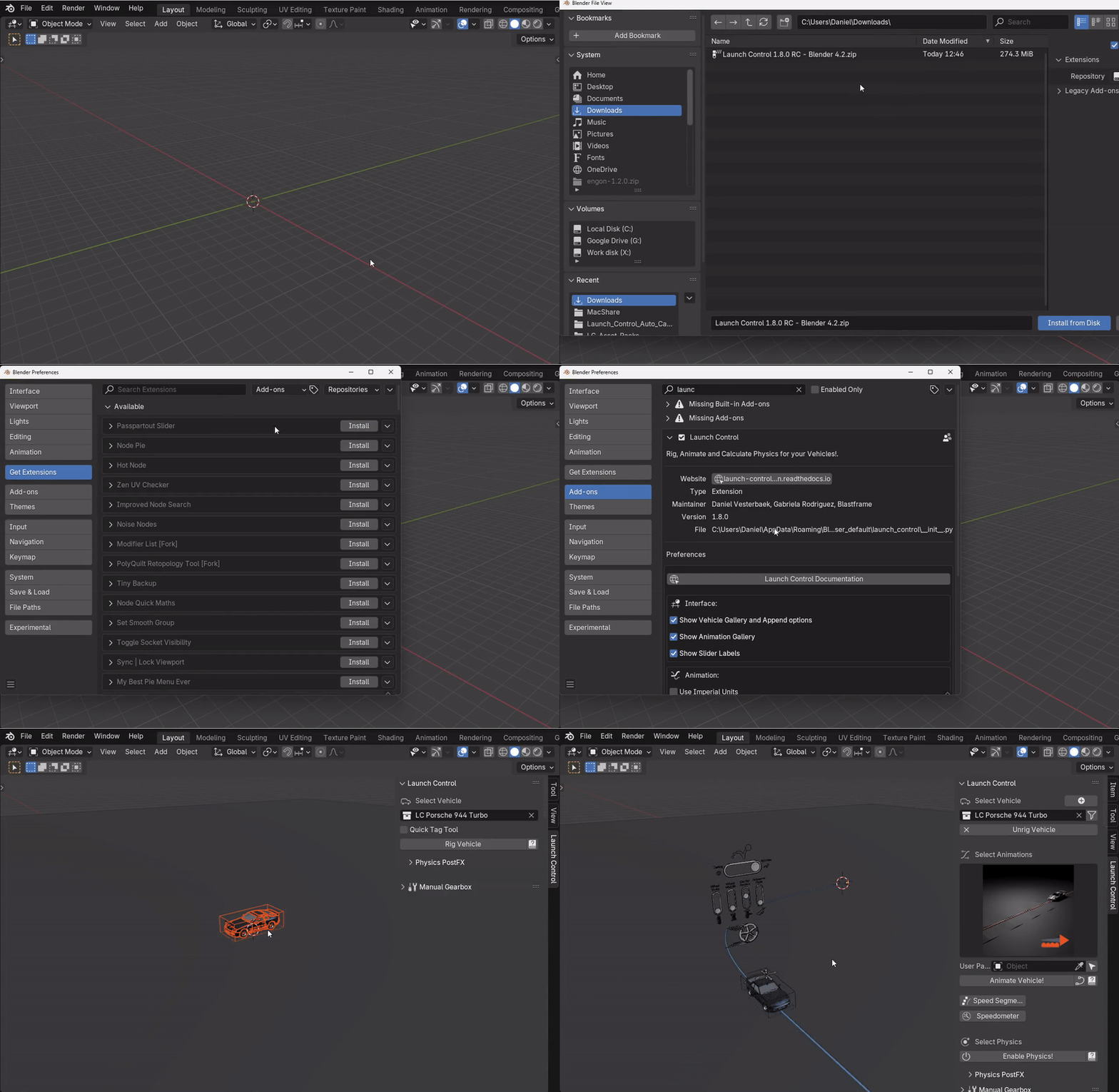
Step 1: Inside Blender head to “Edit -> Preferences -> Get Extensions -> Install from Disk…”
Step 2: Locate the downloaded .zip and click “Install from Disk”
(Step 3:) Optionally, go to “Add-ons” and search for “Launch Control” to alter the add-on preferences
Uninstalling/Updating
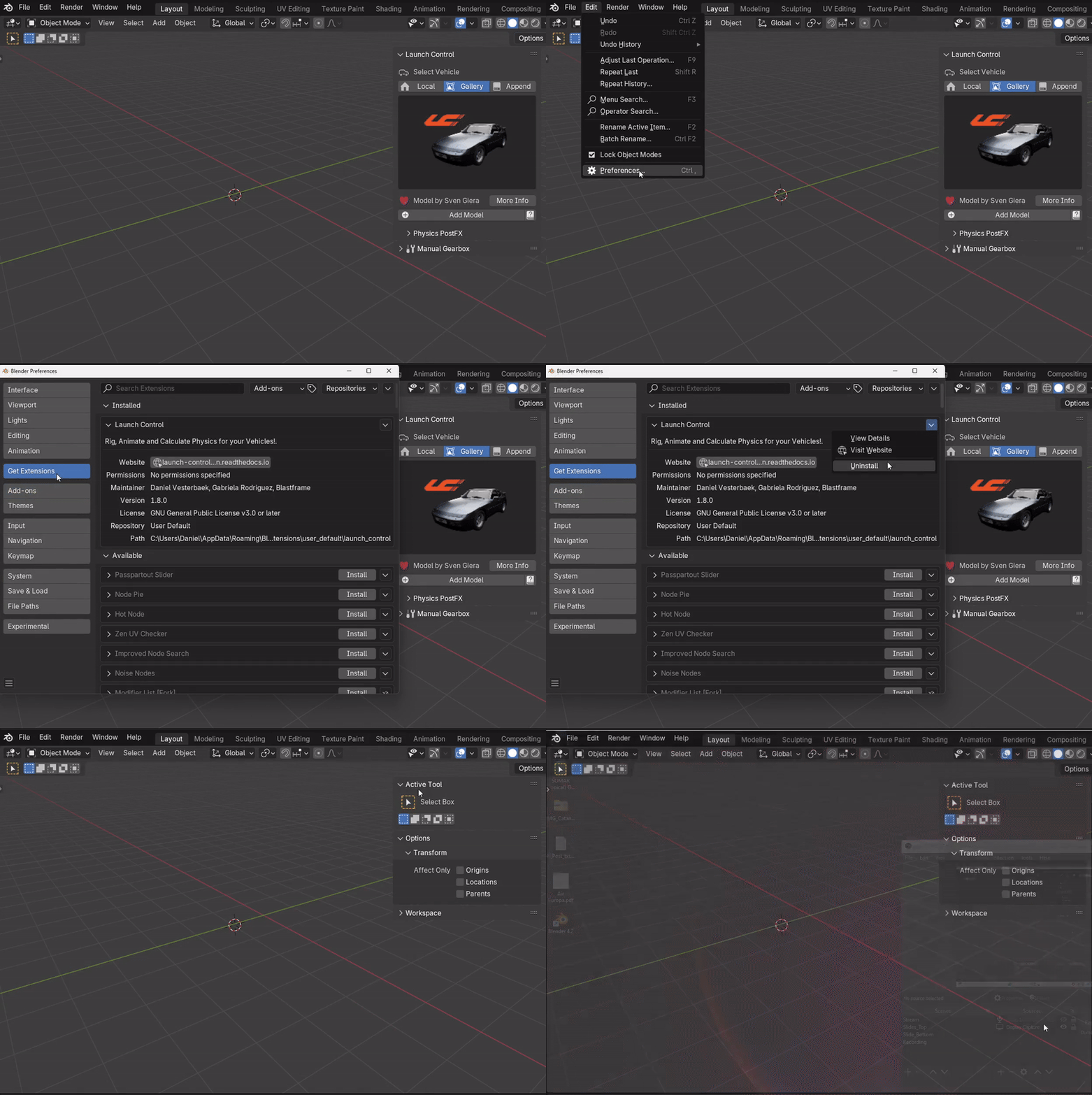
Step 1: Inside Blender head to “Edit -> Preferences -> Get Extensions”.
Step 2: Locate “Launch Control” and click the down-arrow to the right of the extension name.
Step 3: Click “Uninstall” and restart Blender to clear all the data from Launch Control.
(Step 4): Install the new desired version as described above.